If you’re looking to how to apply for new PAN card with QR code, especially one with a QR code, you’ve come to the right place. The process is simple, quick, and can be done from the comfort of your home. In this blog post, I’ll walk you through the entire process, answer common questions, and help you understand how to get a PAN card with a QR code online. Whether you’re a first-time applicant or updating your existing PAN card, this guide covers you.
Table of Contents
What is a PAN Card with QR Code?
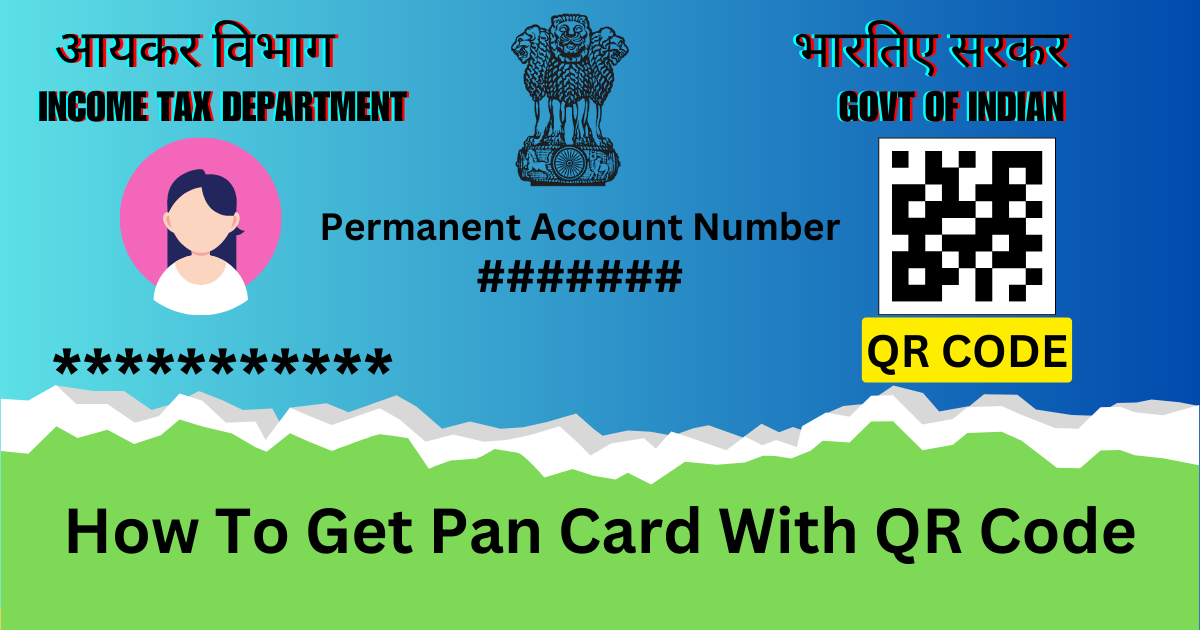
Before we dive into the application process, let’s understand what a PAN card with a QR code is. The QR code on your PAN card is a quick-response code that stores your PAN details securely. It makes verification faster and more efficient, especially for financial transactions. The new Pan card QR code scanner is a smart card that ensures enhanced security and convenience.
Why Should You Get a PAN Card with QR Code?
Enhanced Security: The QR code adds an extra layer of security to your PAN card.
Quick Verification: Authorities can scan the QR code to verify your details instantly.
Mandatory for Certain Services: Many financial institutions and government services now require a PAN card with a QR code.
How to apply for new PAN card with QR code
The process of applying pan card with QR code online is simple. Here is a detailed guide to help you navigate it:
Step 1: Choose the Right Platform
Two approved portals allow you to apply online for a PAN card with a QR code:
NSDL (National Securities Depository Limited)
UTIITSL (UTI Infrastructure Technology and Services Limited)
Both platforms are reliable and offer seamless services. For this guide, I’ll focus on the NSDL portal, but the process is similar for UTIITSL.
Step 2: Visit the Official Website
Go to the official NSDL website for PAN card applications: https://www.onlineservices.nsdl.com/paam/endUserRegisterContact.html.
Step 3: Select the Application Type
If you’re applying for a new PAN card, select “Application for New PAN Card (Form 49A)”.

If you’re a foreign citizen, use Form 49AA.
Step 4: Fill in the Required Details
- You’ll need to provide the following information:
- Personal details (name, date of birth, etc.)
- Contact information (email, phone number, address)
- Aadhaar details (optional but recommended for faster processing)
- Proof of identity, proof of address, and date of birth documents
Step 5: Opt for a PAN Card with QR Code
While filling out the form, you’ll have the option to choose a PAN card with a QR code. Make sure to select this option if you want the enhanced version of the PAN card.
Step 6: Upload Documents
Remember to upload the PAN card photo signature and document in the recommended size for which you can use the PAN Card Photo Resize tool
Upload scanned copies of the necessary files, including:
Aadhaar card
Passport-sized photograph
Signature
Proof of identity and address (e.g., passport, voter ID, driving license)
Step 7: Pay the Application Fee
The fee for a PAN card application is ₹107 (including GST) for Indian addresses. Debit cards, credit cards, net banking, or UPI can all be used to make payments.
Step 8: Submit the Application
Once you’ve filled in all the details and made the payment, review your application carefully and submit it. You’ll receive an acknowledgment number, which you can use to track your application status.
Step 9: Track Your Application
You can track the status of your PAN card application on the NSDL or UTIITSL website using your acknowledgment number.
Step 10: Receive Your PAN Card
Your new PAN card with a QR code will be dispatched to your registered address within 15-20 working days.
How to Get a PAN Card with QR Code Online
If you already have a PAN card but want to upgrade to the new version with a QR code, you can apply for a reprint. The process is similar to applying for a new PAN card:
- Visit the NSDL or UTIITSL website.
- Select the option for “Reprint of PAN Card”.
- Fill in your details and opt for the QR code-enabled PAN card.
- Pay the applicable fee and submit your application.
FAQs About PAN Card with QR Code
- How can I get a QR code PAN card?
You can get a QR code PAN card by applying for a new PAN card or requesting a reprint of your existing PAN card through the NSDL or UTIITSL portal. Make sure to select the QR code option during the application process. - How to get a PAN card with a QR code online?
Follow the steps mentioned above to apply for a PAN card with a QR code online. The process is quick and hassle-free. - Can I scan the QR code on my PAN card?
Yes, you can scan the QR code on your PAN card using a QR code scanner app. The code contains your PAN details, which can be verified instantly. - Is the QR code PAN card mandatory?
While it’s not mandatory, having a PAN card with a QR code is highly recommended for enhanced security and faster verification.
Tips for a Smooth Application Process
- Double-check all the details before submitting your application.
- Ensure that your documents are clear and meet the specified size and format requirements.
- Keep your acknowledgment number safe for tracking purposes.
Conclusion
Applying for a new PAN card online, especially one with a QR code, is a simple and efficient process. By following the steps outlined in this guide, you can easily get your PAN card with a QR code and enjoy the added benefits of security and convenience. Whether you’re applying for the first time or upgrading your existing PAN card, the online process is designed to be user-friendly and hassle-free.
Please feel free to leave a remark if you need further help or if you have any queries. below. Happy applying!
Disclaimer for the Blog Post:
The information provided in this blog post, “How to Apply for a New PAN Card Online with QR Code: Easy Step-by-Step Guide (2024)”, is for general informational purposes only. While we strive to ensure the accuracy and reliability of the content, the process and requirements for PAN card applications may change over time. We recommend visiting the official websites of NSDL or UTIITSL for the most up-to-date and accurate information.
The author and publisher of this blog are not affiliated with the Government of India, NSDL, or UTIITSL, and we are not responsible for any errors, omissions, or outcomes related to the PAN card application process. Readers are advised to verify details and follow official guidelines before proceeding with their application.
By using the information provided in this blog, you agree to do so at your own risk. We shall not be held liable for any losses, damages, or inconveniences arising from the use of this content.

I have been doing website development and blogging for the last 5 years. My expertise is in web tools that can be used to save time in your digital work and increase efficiency.